I've seen 50+ AWS accounts. They all make these mistakes.


AWS FOR THE REAL WORLD
⏱️
Reading time: 6 minutes
🎯
Main Learning: 5 common AWS account mistakes and how to fix each one in under 10 minutes
🎬

Hey Reader πŸ‘‹πŸ½

New week, new AWS deep dive 🐠

In this one, we'll show you the 5 most common mistakes we've seen in almost every AWS account we've looked at.

Yes, there are more out there. But these are the ones you'll see everywhere. And they're pretty simple to fix!

The good news? Most of these fixes take under 10 minutes.

Rather watch a video? We've recorded one for you!

Let's get into it πŸ‘‡πŸ½

Honest Recommendation

A friend of ours built a course around learning Claude Code for Developers. And it even has some free videos at the beginning, check it out!

πŸ“š This Week's Deep Dive

Here's a real story: a developer's account was normally at $100/month. In two days it jumped to $4,000. He went to Reddit for help. The top upvoted comment? Read the shared responsibility model.

Not exactly helpful.

These stories are everywhere - Reddit, Hacker News, Twitter. $14K bills. $120K bills. And the thing is, every single one of them was preventable.

Here are the 5 mistakes and how to fix them.

Mistake 1: No Billing Alerts

AWS won't stop you from spending. If you don't set up alerts, you'll find out about a cost spike when your credit card statement arrives.

Three fixes:

  • Create a zero-spend budget. Go to Billing β†’ Budgets β†’ Create Budget. You'll get notified the moment anything is charged.
  • Activate Cost Anomaly Detection. It's free. Detects unusual spending patterns and emails you automatically.
  • Send alerts where you actually read them. Route to Slack, Teams, or Discord. Nobody checks billing emails.

Mistake 2: Using the Root User

The root user can do literally everything. Close the account, change billing, create backdoors. One developer had a 20-character password, no MFA. Still got hacked. Attackers spun up Bitcoin mining rigs in a hidden region.

Four fixes:

  • Enable MFA on root. Use a hardware key if possible.
  • Create an admin IAM user. Use this for daily work. Never touch root again.
  • Lock root away. Only CTO/founders. Use a distribution email list.
  • CloudTrail alerts for root logins. Get immediate alerts via EventBridge β†’ SNS β†’ Slack.

Mistake 3: Single AWS Account

Dev and prod in one account? A developer runs a load test, hits the Lambda concurrency limit, and production goes down too. AWS doesn't know about your "environments." The account is the boundary.

The fix: Create an AWS Organization with two accounts. One prod, one dev. Your blast radius drops dramatically.

Mistake 4: No Tagging

The most boring mistake on the list. Also the one I see every single time. Without tags, you know costs are going up but not why. Which project? Which team? You're guessing.

Two steps:

  • Activate cost allocation tags. Free. Go to Billing β†’ Cost Allocation Tags.
  • Tag your resources. Minimum two tags: project and owner.

Mistake 5: No Infrastructure as Code

If you're clicking resources together in the console, stop. ClickOps works for you once. It doesn't work for a second environment, a new developer, or a rollback.

Pick one tool and commit to it. Terraform, CDK, Pulumi, SST. The worst IaC tool is still better than ClickOps.

And this ties everything together: billing alerts, CloudTrail rules, multi-account setup, tagging - all of it can be defined in code.

Fix all five and your account is ahead of 90% of the ones out there. Start with number one. It takes a couple of minutes.

πŸ‘‹ Friend's Project

Crack Claude Code

Not a sponsor, just sharing something good. A friend of ours built a course on mastering Claude Code. The first few modules are free - install, permissions, CLAUDE.md, config directories. Worth a look if you want to get more out of it.
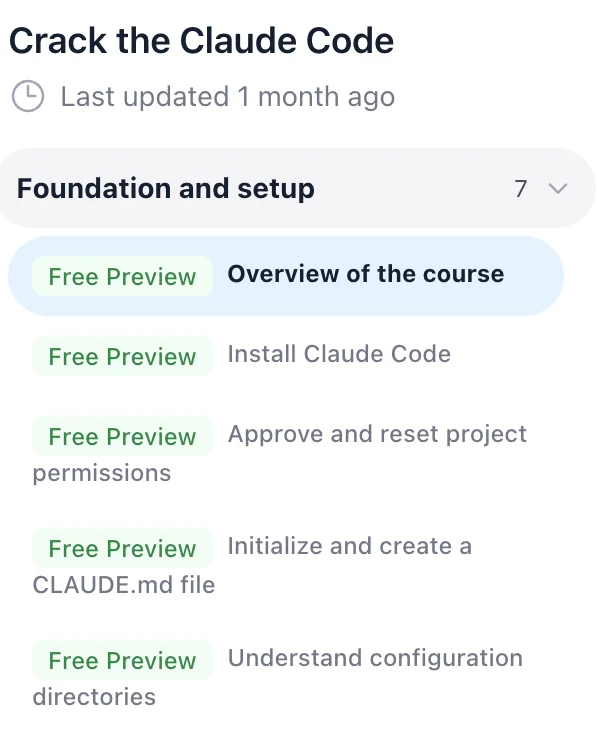
Crack Claude Code - Foundation and setup modules (Free Preview) Check it out β†’

That's it for this week!
Quick recap of the five fixes: set up billing alerts, lock down your root user, split into multiple accounts, tag your resources, and use infrastructure as code. All of it takes under 20 minutes total.
If you're in Lisbon and know a good tennis or padel court or AWS meetup, reply to this email. Always happy to meet 😊
See you next week!
Sandro & Tobi

AWS for the Real World

We teach AWS for the real world - not for certifications. Join more than 10,500 developers learning how to build real-world applications on AWS.

Read more from AWS for the Real World

AWS FOR THE REAL WORLD ⏱️ Reading time: 9 minutes 🎯 Main Learning: Build a self-service portal that grants temporary AWS + Azure access and revokes it automatically β€” using Kestra and one YAML file. πŸ“ Blog Post πŸ’» GitHub Repository 🎬 Watch on YouTube Hey Reader πŸ‘‹πŸ½ Happy new week! Tobi and I met up last week and spent some time planning the videos ahead. We’re going more and more into YouTube β€” and a few things I’m hyped about: The biggest AWS mistakes we’ve made (so you don’t have to) How...

AWS FOR THE REAL WORLD ⏱️ Reading time: 4 minutes 🎯 Main Learning: Which AWS services are worth your time and which ones to skip 🎬 Watch on YouTube Hey Reader πŸ‘‹πŸ½ a new week, new AWS video coming out. I (Sandro) used all of my knowledge from the past six plus years building AWS solutions, ranking the services I actually use and the services I hate. For some I've changed my mind A LOT over the years (e.g. DynamoDB). Let me know what you think and check it out.Here you go AWS News But first of...

AWS FOR THE REAL WORLD ⏱️ Reading time: 12 minutes 🎯 Main Learning: The 11 most impactful AWS releases from the past 12 months that have nothing to do with AI. πŸ“ Blog Post Hey Reader πŸ‘‹ Every re:Invent recap, every AWS blog, every newsletter from the past year has been dominated by one topic. You know which one. But while everyone was writing about agents and foundation models, the core infrastructure layer kept moving. Quiet releases. No keynote fanfare. Things that actually affect your...